Apple iOS Installation
Unfortunately the WWTV App is not available on Apple IOS, however there is an App available that will work with your WWTV subscription. Follow these instructions to install the App.
- On your Apple device go to the App store. Search for an App named Smarters Player Lite.
- Install the App on to your device.
- Once installed open the App on your device. Choose Add your Playlist (via XC API)
- Next the login screen will appear.
- Use this information in the login page
Any Name: WWTV
Username: Insert your WWTV Username
Password: Insert you WWTV password
http:/url_here.com:port: http://extemeport.com:25461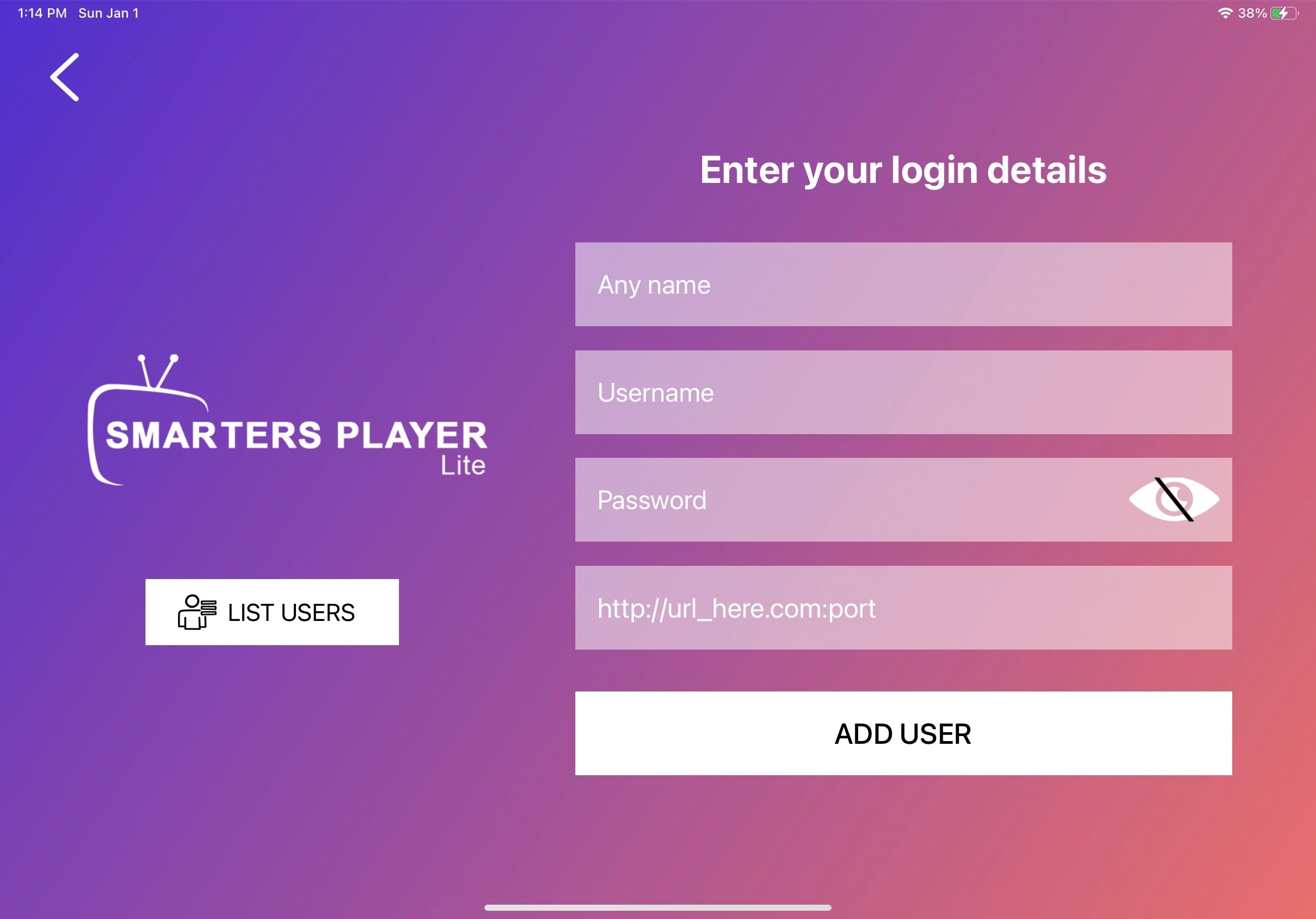
- Click add user. Congratulations!! Your app is installed, now you can explore the app by selecting the service you would like to start with.
Tips
- In the Smarters Player Lite App to save favorites in live TV, navigate to the channel that you would like to make your favorite and press & hold the channel and a little red heart will appear in the right hand corner and it will be added to your favorite list as well. To add to favorites in the Movies and Series simply select a movie or series you would like to save as a favorite and press the heart in the title page it will turn red and will become a favorite. To take it off favorites list just press the heart again and it will turn white and will no longer be found on your favorite list.